


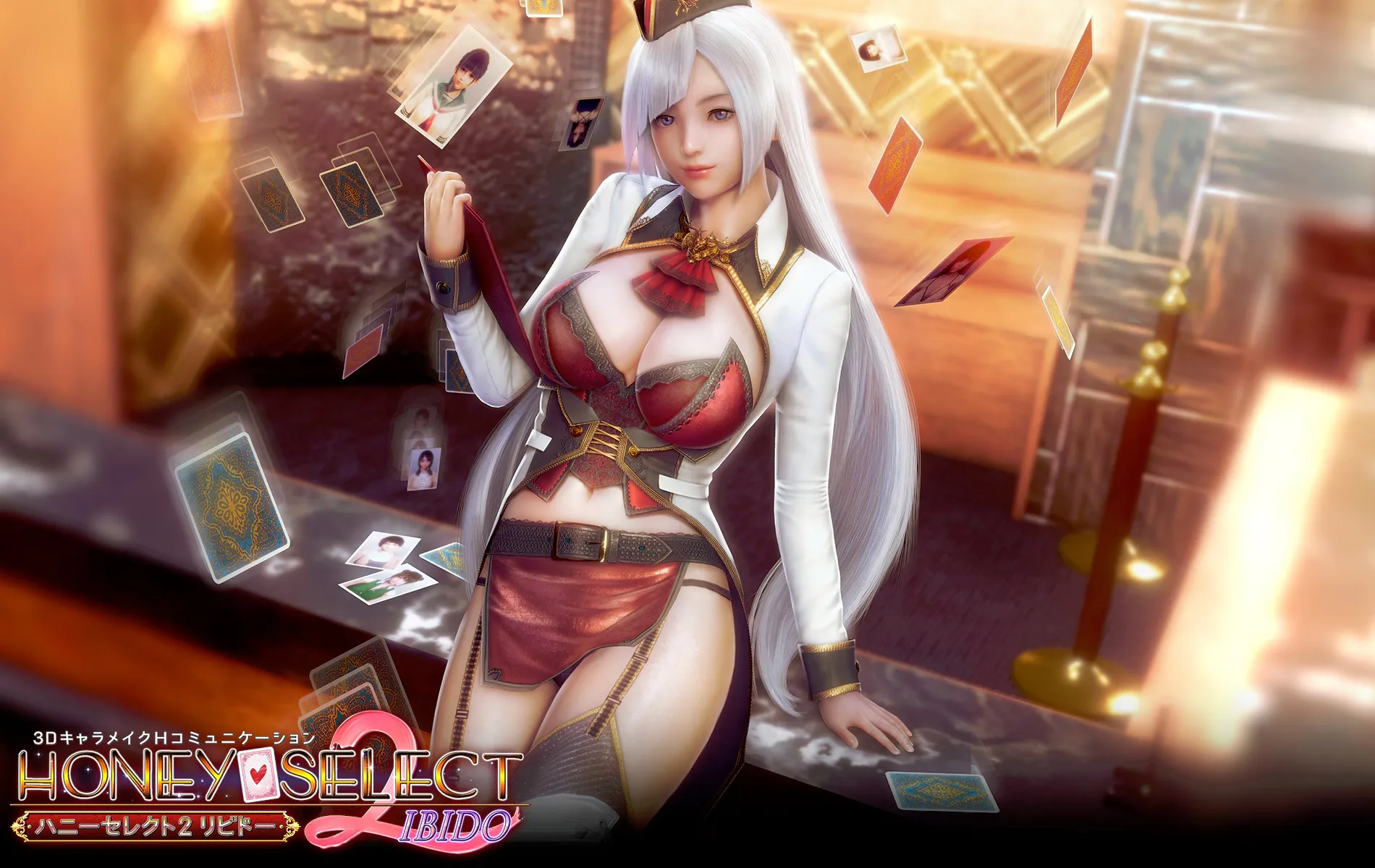
Unity Honey Select 2
 Website
 Twitter
 Steam
Steam
Download
Steam Version
 GOFILE
 UPLOADHAVEN
 PIXELDRAIN
SPLIT
 MEGA
MEGA MIXDROP
 WDHO
WDHO2024-08-28 Optional Sideloader Modpack (273 GiB): TORRENT
TORRENTSPLIT
To mix MEGA and other Hosters split files you need to rename Mega to have the same name as the other files (except for the endings)
 Tutorial

About this game
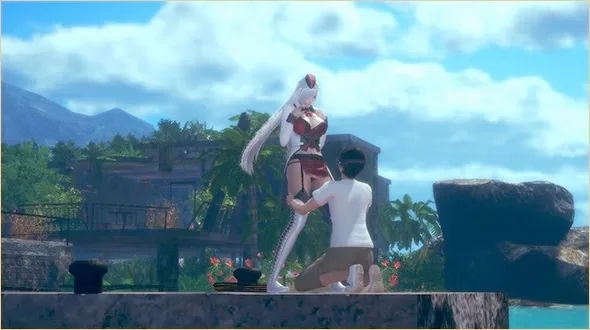
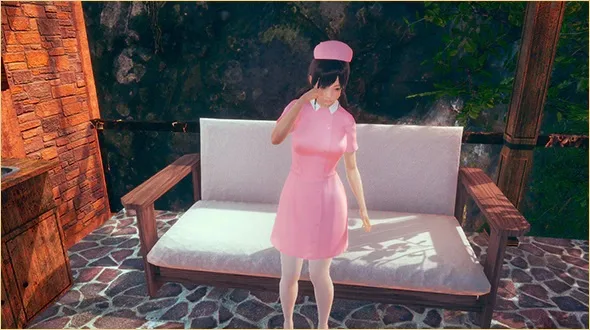
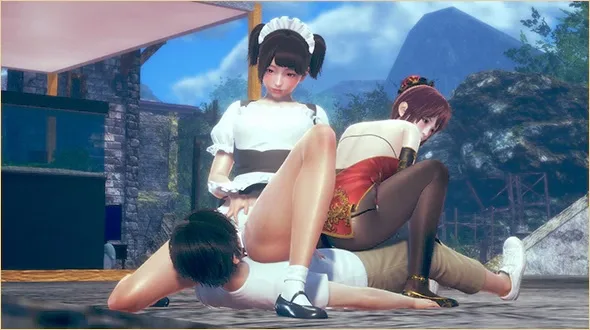
Honey Select 2: Libido is the sequel to Illusion's 2016 cult classic, and one of the most popular VR porn games ever released. A new host named Für introduces you to a love hotel where you build the partner of your dreams using the famously deep character creator, then spend time with her exactly the way you want.
The game ranges from sweet, romantic encounters to harder, more aggressive scenes, with thousands of community mods extending body presets, outfits and scenarios. Honey Select 2 plays in VR or desktop, and is the natural starting point for anyone looking for a fully featured virtual reality porn game built around character creation.
Changelog
Latest
Spoiler: DX R16
(*) = Optional mod (**) = Utility (***) = Pose Pack
Added Rikki Balboa's HS2_ProjectorUtils v1.2
Added ManlyMarco's HS2_Bulge v1.0.2
Added Meinabox's MeinaPlugin v2.3 (*)
Added Mike's Playboop v1.0 (*)
Added Hanmen's Graphics Plugin Lite v1.0.1 (*)
Updated BepInEx to v5.4.23.1
Updated BepisPlugins to R20.0
Updated BepInEx.ConfigurationManager to v18.3
Updated IllusionFixes HS2 to v21.6
Updated HSPlugins to R2.13.1
Updated Animal42069's HS2_BetterPenetration to v5.0.1.1
Updated countd360's MMDD to v2.9.4 (*)
Updated DeathWeasel's HS2_MaterialEditor to v3.9.1
Updated DeathWeasel's HS2_StudioImageEmbed to v1.0.3
Updated DeathWeasel's HS2_UncensorSelector to v3.12.1
Updated Keelhauled's KeelPlugins build to 240725
Updated Keitaro's VNGE to v43.0 (*)
Updated Marco's HS2API to v1.41
Updated Marco's HS2ABMX to v5.2.2
Updated Marco's HS2_CheatTools to v3.3.2
Updated Marco's HS2_BrowserFolders to v3.2.3
Updated Marco's HS2_OverlayMods to v6.1.5
Updated Marco's HS2_QuickAccessBox to v3.2
Updated Marco's RuntimeUnityEditor to v5.4.0
Updated Marco's KKManager to v1.3.1 (**)
Updated Marco's HS2_RemoveToRecycleBin to v2.0
Updated Sauceke's LoveMachine to v3.19 (*)
Updated XUnity.AutoTranslator to v5.3.1
Spoiler: DX R15
(*) = Optional mod (**) = Utility (***) = Pose Pack
Added Prolo's FashionLine v0.3.3 (*)
Added DeathWeasel's HS2_AccessoriesToStudioItems v1.0.1
Added DeathWeasel's HS2_TimelineFlowControl v1.0.0.0
Added krypto's HS2_StudioNodeTweaks v2.0 (*)
Updated BepisPlugins to R19.5
Updated BepInEx.ConfigurationManager to v18.2.1
Updated BepInEx.EnableResize to v3.0
Updated BepInEx.SplashScreen to v2.2
Updated IllusionFixes HS2 to v21.4.1
Updated IllusionLaunchers to v3.4.2
Updated HSPlugins to R2.9
Updated countd360's MMDD v2.9.3 (*)
Updated DeathWeasel's HS2_MaterialEditor to v3.4.3
Updated Deathweasel's HS2_PoseTools to v1.1.2
Updated DeathWeasel's HS2_UncensorSelector to v3.11.8
Updated enimaroah's SB3U to v23.1.7 (**)
Updated Keelhauled's GraphicsSettings to v1.3.1
Updated Keelhauled's KeelPlugins build to 274
Updated Marco's HS2ABMX to v5.1.0
Updated Marco's HS2API to v1.38
Updated Marco's HS2_BrowserFolders to v3.2.1
Updated Marco's HS2_OverlayMods to v6.1.3
Updated Marco's HS2_QuickAccessBox to v3.1.1.1
Updated Marco's HS2_CheatTools to v3.3.1.0
Updated Marco's RuntimeUnityEditor to v5.3
Updated Marco's KKManager to v1.1.0 (**)
Updated Mikke's MoveController to v1.9 (*)
Updated Sauceke's LoveMachine to v3.17 (*)
Updated Prolo's Character Morpher to v1.1 (*)
Spoiler: DX R14
(*) = Optional mod (**) = Utility (***) = Pose Pack
Added BepInEx.SplashScreen v1.0
Updated BepInEx to v5.4.22
Updated BepisPlugins to R19.3
Updated BepInEx.ConfigurationManager to v18.0.1
Updated IllusionFixes HS2 to v21.2.1
Updated HSPlugins to R2.5.1
Updated countd360's MMDD v2.8.1 (*)
Updated DeathWeasel's HS2_MaterialEditor to v3.1.24
Updated enimaroah's SB3U to v23.1.7 (**)
Updated Marco's HS2ABMX to v5.0.6
Updated Marco's HS2API to v1.36
Updated Marco's HS2_QuickAccessBox to v3.0.0
Updated Marco's HS2_CheatTools to v3.3.0.0
Updated Marco's RuntimeUnityEditor to v5.1
Updated Marco's KKManager to v0.23.0 (**)
Updated Mikke's MoveController to v1.9 (*)
Updated Sauceke's LoveMachine to v3.15.0 (*)
Updated Prolo's Character Morpher to v1.1 (*)
Updated XUnity.AutoTranslator to v5.3.0
Spoiler: DX R13
(*) = Optional mod (**) = Utility (***) = Pose Pack
Updated IllusionLaunchers to v3.4.0
Updated BepInEx.ConfigurationManager to v18.0
Updated HSPlugins to R2.4.2
Updated countd360's HS2StudioCharaEditor v2.1.0
Updated countd360's MMDD v2.7 (*)
Updated DeathWeasel's HS2_MaterialEditor to v3.1.22
Updated DeathWeasel's HS2_UncensorSelector to v3.11.7
Updated enimaroah's SB3U to v23.0.3 (**)
Updated Keelhauled's KeelPlugins to Build 273
Updated Keitaro's VNGE to v42.5 (*)
Updated Marco's KKManager to v0.22.0.1 (**)
Updated Marco's HS2_OverlayMods to v6.1.2
Updated Prolo's Character Morpher to v1.0 (*)
Updated Sauceke's LoveMachine to v3.9.0 (*)
Spoiler: DX R11
(*) = Optional mod (**) = Utility (***) = Pose Pack
Updated Chinese Steam translation
Updated English Steam translation
Updated Portuguese translation to v5.1
Updated BepisPlugins to R19.0.2
Updated HSPlugins to v2.3
Updated 2155X's HS2_HLightControl to v1.2.5
Updated 2155X's HS2_UnlockPlayerHClothes to v1.4.4
Updated Animal42069's Heelz to 1.15.4
Updated countd360's HS2StudioCharaEditor v2.0.1
Updated countd360's MMDD v2.5.1 (*)
Updated DeathWeasel's HS2_MaterialEditor to v3.1.19
Updated DeathWeasel's HS2_StudioWindowResize to v1.1.1
Updated enimaroah's SB3U to v22.3.4 (**)
Updated HijackHornet's HS2_UIScalerAndWidescreenSupport to v1.0.2 (*)
Updated Keitaro's VNGE to v39 (*)
Updated Marco's HS2_OverlayMods to v6.1
Updated Mikke's Straight 2 Maker to v1.1 (*)
Updated Prolo's Character Morpher to v0.2.2 (*)
Updated Sauceke's LoveMachine to v3.0.5
Updated thojmr's HS2_PregnancyPlus to v7.8
Updated XUnity.AutoTranslator to v5.2.0
Spoiler: DX R4.0.1
[FIX] Applied release variant of Portuguese TL v3.1
[FIX] Applied font replacement for Chinese and Korean translation
[FIX] Made HS2Graphics disabled by default again after it were being left enabled by default by mistake in R4 (Fixes lag experienced by some users)
[FIX] Cleared some cache to stop old translations bleeding in
Added Dainty's Deformers v0.5
Added Marco's Card Image Replacer v1.0 (**)
Updated MMDD to v1.4.1 (*)
Updated Animal42069's HS2_BetterPenetration MainGame to v4.0.2
Updated Animal42069's HS2_BetterPenetration StudioNEOV2 to v2.0.2
Updated enimaroah's SB3U to v21.1.1
Updated Marco's HS2ABMX to v4.4.2
Updated Marco's HS2API to v1.20.3
Updated OrangeSpork's AdvIKPlugin to v1.6.0
Updated thojmr's HS2_PregnancyPlus v3.16
Removed StudioGet (Doesn't work anymore, DeathWeasel's CharacterExport also does the same thing)
Spoiler: DX R4
Added Portuguese translation
Added Russian translation
Added BepInEx.CatchUnityEventExceptions v1.0
Added CalciumSocks's HS2_MultiAngleRotation v1.0.1 (*)
Added DeathWeasel's HS2_PoseUnlocker v1.0
Added Enduro Pose Pack v0.8
Added HijackHornet's HS2_UIScalerAndWidescreenSupport to v1.0 (*)
Added KKY's HairMeshforAll v1.0
Added Marco's HS2_AutoStart v1.0
Added McHarny's HDSaveCard v1.0 (*)
Added Mikke's HS2_MapController v1.0
Added OrangeSpork's HS2_ChicksDigMapModders to v1.0.1
Added OrangeSpork's StudioCharMonitor v1.0
Updated English FanTranslation to 2021.05.29
Updated Chinese translation Textures to 20210506
Updated BepInEx to v5.4.11
Updated BepInEx.ConfigurationManager to v16.3
Updated BepInEx.InputHotkeyBlock to v1.4
Updated HS2_BepisPlugins to R16.3.1
Updated IllusionFixes HS2 to v15.2.1
Updated IllusionLaunchers to v3.1.1
Updated HS2_TextResourceRedirector to v1.4.4
Updated XUnity.AutoTranslator to v4.16.1
Updated Animal42069's HS2_BetterPenetration MainGame to v4.0.0
Updated Animal42069's HS2_BetterPenetration StudioNEOV2 to v2.0.1
Updated Animal42069's HS2_POVx to v1.3.0
Updated Dainty's Deformers to v0.5
Updated DeathWeasel's HS2_DynamicBoneEditor to v1.0.3
Updated DeathWeasel's HS2_MaterialEditor to v3.1.1
Updated DeathWeasel's HS2_StudioSceneSettings to v1.3.2
Updated DeathWeasel's HS2_UncensorSelector to v3.11.2
Updated enimaroah's SB3U to v21.0.5
Updated Hooh's Graphics to Edge Build edge-20201121.1
Updated Hooh's HS2_Hooah v1.4.3
Updated Keitaro's VNGE to v27 (*)
Updated Marco's HS2_BrowserFolders to v2.5.1
Updated Marco's HS2_CheatTools to v2.10.1
Updated Marco's HS2_QuickAccessBox to v2.4.1
Updated Marco's HS2_OverlayMods to v6.0.2
Updated Marco's HS2API to v1.20.1
Updated Marco's KKManager to v0.17.0
Updated Marco's RuntimeUnityEditor to v2.4
Updated OrangeSpork's AdvIKPlugin to v1.5.5
Updated OrangeSpork's HS2VR to v0.7.7 (*)
Updated thojmr's HS2_PregnancyPlus to v3.11
Spoiler: DX R3.2
Applied official update honey2dx01plus0115hA5HGsub
Added Animal42069's HS2_BetterPenetration Studio v1.0.1
Added Animal42069's HS2_POVx v1.2.1
Added Dainty's Deformers v0.2
Added DeathWeasel's HS2_DynamicBoneEditor v1.0.2
Added Mikke's MapControllerPlugin v0.4
Added OrangeSpork's HS2_AdditionalAccessoryControls v1.0.5
Added OrangeSpork's HS2VR v0.3.0 (*) [May be unstable depending on system, use at own risk]
Updated BepInEx to v5.4.8
Updated HS2_BepisPlugins to R16.2.1
Updated IllusionFixes HS2 to v15.2
Updated IllusionLaunchers to v3.0.1
Updated XUnity.AutoTranslator to v4.14.0
Updated 2155X's HS2_BetterHScenes to v2.6.2
Updated Animal42069's HS2_BetterPenetration MainGame to v3.0.2
Updated DeathWeasel's HS2_Autosave to v1.1
Updated DeathWeasel's HS2_MaterialEditor to v3.0.4
Updated GeBo's HS2_GameWhoIsThere to v1.0.1
Updated GeBo's HS2_GeboCommon to v1.1.0
Updated GeBo's HS2_StudioMultiselectChara to v1.0.0
Updated GeBo's HS2_StudioSceneNavigation to v1.0.0
Updated GeBo's HS2_TranslationCacheCleaner to v0.6.0
Updated GeBo's HS2_TranslationHelper to v1.1.0
Updated Hooh Modding Tools to v0.6.0.0 (*)
Updated Keitaro's VNGE v23 (*)
Updated Marco's HS2_BrowserFolders to v2.4.1
Updated Marco's HS2_OverlayMods v6.0.1
Updated Marco's HS2API to v1.17
Updated OrangeSpork's AdvIKPlugin to v1.5.2
Updated thojmr's HS2_PregnancyPlus to v1.29
Removed FairBear's HS2_POVx v1.1.1 (Obsolete)
Spoiler: DX R3.1
ReApplied compression (New sb3u allowing compression of more files) [Only for full pack download]
Applied Chinese translation (from London Eagle/伦敦鹰)
Added SpockBooru’s 100% save (Replacing the old 100% save) to BRExtras
Added 2155X’s HS2_RandomHPicker v1.0
Added DeathWeasel’s HS2_MoveController v2.2
Added essu’s FemaleParameterInfo v1.0 (*)
Added Marco’s HS2_StudioExtraMoveAxis v1.0
Added Mikke’s MoveController v1.0 (*)
Added thojmr’s HS2_PregnancyPlus v1.1
Updated BepInEx to v5.4.5
Updated HS2_BepisPlugins to R16.2
Updated Animal42069’s HS2_BetterPenetration to v2.5.1
Updated DeathWeasel’s HS2_EyeControl to v1.0.1
Updated enimaroah’s SB3U v21.0.1 (**)
Updated Keitaro’s VNGE to v22.5 (*)
Updated Marco’s HS2API to v1.15
Updated Marco’s HS2_BrowserFolders to v2.3
Updated Marco’s HS2_CheatTools to v2.9
Spoiler: DX R3
Applied SpockBauru’s HS2 DX Translations v2
Applied FanTranslation German (Digitalartnet) v1
Added BepInEx.OptimizeIMGUI v1.0
Added 2155X’s StudioAccessoryNames v1.0
Added DeathWeasel’s HS2_Autosave v1.0.1
Added DeathWeasel’s HS2_EyeControl v1.0
Added Marco’s HS2_StudioCameraObjectTweaks v1.0
Added OrangeSpork’s HS2_ChicksDigMapModdersPlugin v1.0
Updated BepInEx to v5.4.4
Updated BepInEx.ConfigurationManager to v16.1
Updated BepInEx.MessageCenter to v1.1.1
Updated HS2_BepisPlugins to R16.1
Updated IllusionFixes HS2 to v15.1
Updated 2155X’s HS2_BetterHScenes to v2.5.8
Updated 2155X’s HS2_HCharaSwitcher to v1.2.1
Updated Animal42069’s HS2_BetterPenetration to v2.5.0.3
Updated DeathWeasel’s HS2_MaterialEditor to v2.4.1
Updated DeathWeasel’s HS2_Subtitles to v2.2
Updated enimaroah’s SB3Utility to v20.6.6
Updated Hooh’s Heelz to v1.14.3
Updated Hooh’s HS2_Hooah to v1.4.2
Updated Joan6694’s BonesFramework to v1.4.1
Updated Marco’s HS2_CheatTools to v2.8.1
Updated Marco’s HS2ABMX to v4.4.1
Updated Marco’s HS2API to v1.14
Updated Marco’s KKManager to v0.16.0 (**)
Updated Marco’s RuntimeUnityEditor to v2.3
Updated OrangeSpork’s HS2TakeChargePlugin to v1.4.0
Spoiler: DX R2
Applied HS2DX Preorder (honey2_dx_souki)
Applied VR Module (honey2dx_03_vr)
Applied compression to the whole game
Applied SpockBauru’s HS2 DX Translations v1
Updated vanilla UserData (BRExtras)
Updated vanilla Launcher (BRExtras)
Updated BepInEx to v5.4.1
Updated DragAndDrop to v1.2.3
Updated Duck Preset Pose Pack D33P to v11
Updated HS2_TextResourceRedirector to v1.4.3.1
Updated Animal42069’s HS2_BetterPenetration to v2.4.0
Updated DeathWeasel’s HS2_Colliders to v1.2
Updated DeathWeasel’s HS2_InvisibleBody to v1.4
Updated DeathWeasel’s HS2_MaterialEditor to v2.3.1
Updated DeathWeasel’s HS2_StudioSceneSettings to v1.3
Updated DeathWeasel’s HS2_Subtitles to v2.1
Updated DeathWeasel’s HS2_UncensorSelector to v3.11
Updated enimaroah’s SB3U to v20.6.5 (**)
Updated Hooh’s Graphics to Edge Build edge-20201102.1
Updated Hooh’s Heelz to v1.14.2
Updated Keitaro’s VNGE v22 (*)
Updated Marco’s HS2ABMX to v4.3.4
Updated Marco’s HS2API to v1.13.4
Updated OrangeSpork’s AdvIKPlugin to v1.3.0
Added CharacterReplacer v1.6.2
Added Grey’s MeshExporter to v0.1.0.1
Added KKY’s HS2VR_CustomMapsFix v1.1.0
Added KKY’s StudioVoiceX v1.0
Added MDGQ’s BodyChange v1.0 EDIT
Added OrangeSpork’s DynamicBonesGravityPlugin v1.0.1 (*)
Added OrangeSpork’s HS2TakeChargePlugin v1.2.0
Spoiler: R5
Updated SpockBauru’s FanTranslation to v0.5F
Updated IllusionFixes HS2 to v15
Updated HS2_BepisPlugins to R16
Updated 2155X’s HS2_HCharaSwitcher to v1.2.0
Updated 2155X’s HS2_HLightControl to v1.2.3
Updated 2155X’s HS2_MakerSearch to v1.4.0
Updated 2155X’s HS2_UnlockPlayerHClothes to v1.4.3
Updated Animal42069’s HS2_BetterPenetration to v2.2.1
Updated DeathWeasel’s HS2_FKIK to v1.1.1
Updated DeathWeasel’s HS2_MaterialEditor to v2.2
Updated DeathWeasel’s HS2_Subtitles v2.0.2
Updated GeBo’s HS2_TranslationHelper to v1.0
Updated Hooh’s Heelz to v1.13.1a
Updated Hooh’s HS2_Hooah to v1.0.0
Updated Keitaro’s VNGE to v21 (*)
Updated KKY’s Color Panel X to v1.4.1
Updated Marco’s HS2_CheatTools to v2.8
Updated Marco’s FPS Counter to v3.1
Updated Marco’s HS2_OverlayMods to v5.2.1
Updated Marco’s HS2_QuickAccessBox to v2.3
Updated Marco’s HS2ABMX to v4.3.3
Updated Marco’s HS2API to v1.13.3
Updated Marco’s KKManager to v0.14.4 (**)
Updated Marco’s RuntimeUnityEditor to v2.2.1
Updated Mikke’s Beaver to v1.2.2 (*)
Updated HS2_VMDPlayPlugin to v0.3.4 (*)
Updated MMDD v1.2.1 (*)
Added GeBo’s HS2_GameWhoIsThere v1.0
Added OrangeSpork’s AdvIKPlugin v1.2.1
Reverted Hooh’s Heelz to v1.12
Spoiler: R4.1
Applied official update honey2_01_plus_0807F9Vc_sub
Applied official update honey2_03_vr_0731
Applied official update honey2_01_plus_0814esF3_sub
Updated SpockBauru’s translation to v0.4.3
Updated IllusionFixes to v14.1
Updated HS2_TextResourceRedirector to v1.4.1.1
Updated HS2_BepisPlugins to R15.4
Updated XUnity.AutoTranslator to v4.12.1
Updated 2155X’s HS2_HCharaSwitcher to v1.1.0
Updated 2155X’s HS2_MakerSearch to v1.2.1
Updated DeathWeasel’s HS2_MaterialEditor to v2.1.4
Updated DeathWeasel’s HS2_StudioSceneSettings to v1.2.1
Updated DeathWeasel’s UncensorSelector to v3.10
Updated enimaroah’s SB3U to v20.6.2
Updated GeBo’s HS2_TranslationHelper v0.9.4
Updated Horse’s ScriptLoader to v1.2.3
Updated Keelhauled’s GraphicsSettings to v1.2.1
Updated Keitaro’s VNGE to v20.0
Updated KKY’s Color Panel X to v1.3.0
Updated KKY’s StudioCharaSort to v1.0.1
Updated Hooh and Poof Gone’s Heelz v1.12.1
Updated Hooh’s HS2_Hooah to 20200822
Updated Marco’s AI_BetterAA to v1.6
Updated Marco’s HS2_BrowserFolders to v2.2
Updated Mikke’s Character Loader Plugin to v1.2
Updated Mikke’s Beaver to v1.2.1
Updated HS2_VMDPlay to v0.3.1
Added 2155X’s HS2_Lightprobereset v1.1.0
Added 2155X’s HS2_MakerAdditions to v1.0
Added essu’s HeadBundleRedirector v1.0
Added Joan6694’s NodesConstraints v1.2.1
Added Joan6694’s RenderEditor v1.6.0
Added Marco’s HS2_RemoveToRecycleBin v1.1.1
Added Joan6694’s VideoExport v1.2.1 as optional
Added Mikke’s CameraClipController v1.0 as optional
Removed DeathWeasel’s HS2_AnimationController (superceeded)
Removed DeathWeasel’s HS2_Demosaic v1.1 (superceeded)
Made Marco’s AI_BetterAA preapplied again
Spoiler: R4
Applied honey2_03_vr
Applied honey2_01_plus_0807F9Vc_all
Updated BepInEx to v5.3
Updated BepInEx.MuteInBackground to v1.1
Updated HS2_BepisPlugins to R15.3.2
Updated IllusionFixes HS2 to v14.0
Updated IllusionLaunchers to v2.1.0
Updated XUnity.AutoTranslator to v4.12.0
Updated 2155X’s HS2_HLightControl to v1.2.2
Updated 2155X’s HS2_UnlockPlayerHClothes to v1.4.2
Updated DeathWeasel’s HS2_MaleJuice to v1.2.2
Updated DeathWeasel’s HS2_MaterialEditor to v2.1.2
Updated DeathWeasel’s HS2_Subtitles to v2.0
Updated DeathWeasel’s HS2_StudioSceneSettings to v1.2
Updated enimaroah’s SB3U to v20.5.2
Updated GeBo’s HS2_GeBoCommon to v1.0.1
Updated GeBo’s HS2_TranslationCacheCleaner to v0.5.3
Updated GeBo’s HS2_TranslationHelper to v0.9.2
Updated Marco’s HS2API to v1.13
Updated Marco’s KKManager to v0.13.0
Updated Marco’s RuntimeUnityEditor to v2.1.1
Updated Mikke’s Beaver to 20200712
Updated Mikke’s GravureHS2 to 20200712
Updated Mikke’s PushUpPlugin for HoneySelect2 to v2.1
Updated Mikke’s Straight 2 Maker to 20200708
Updated Unknown’s HS2_VMDPlayPlugin to v0.2.4
Added BepInEx.EnableFullScreenToggle v1.0
Added BepInEx.EnableResize v1.5
Added BepInEx.InputHotkeyBlock v1.3
Added 2155X’s HS2_ExtraGroups v1.0.1
Added 2155X’s HS2_FuckThe50Check v1.0.0
Added 2155X’s HS2_MakerSearch v1.1.1
Added Animal42069’s HS2_BetterPenetration
Added DeathWeasel’s HS2_MakerDefaults v1.0
Added DeathWeasel’s HS2_StudioCustomMasking v1.0
Added Hooh’s HS2_Hooah
Added Unknown’s MMDD v1.0
[applied SpockBauru’s HS2 Translations v0.4.1 (bugfix)]
Spoiler: R3.1 Hotfix
- Fixed Achievements translation
- Added Craft's HS2WearCustom v0.1.5
- Added DragAndDrop v1.2.1
- Fixed some black skin problems
-- Removed [Un1imit3d] AIS_HD_Skins_190915-STN.zipmod
-- Readded [Un1imit3d] AIS_HD_Skins_190915.zipmod
-- Applied [Nyaacho] AI_FACESKIN_LINEAR v1.2.0.zipmod
-- Modified [NYAACHO] HS2_FACESKIN.zipmod
-- Added [nyaacho] FACEDETAIL v0.0.1.zipmod
Spoiler: R3
Applied official update honey2_01_plus_0619w26K8
Applied official update honey2_01_plus_0626fEw2
Applied Paid DLC dlc_ex1_0619
Applied Paid DLC dlc_ex2_0529
Applied Paid DLC dlc_ex3_0619
Applied Paid DLC dlc_bondage
Updated BepInEx to v5.1
Updated BepInEx.ConfigurationManager to v16
Updated HideAllUI to v2.2
Updated IllusionFixes HS2 to v13.2
Updated HS2_BepisPlugins to R15.1.2
Updated XUnity.AutoTranslator to v4.11.3
Updated 2155X’s HS2_StudioPOV to v1.1.1
Updated 2155X’s HS2_UnlockPlayerHeight to v1.4.1
Updated DeathWeasel’s HS2_MaterialEditor to v2.0.6
Updated DeathWeasel’s HS2_UncensorSelector to v3.9.2
Updated enimaroah’s SB3Utility to v20.5
Updated Joan6694’s MoreAccessories to v1.2.1
Updated Marco’s HS2_CheatTools to v2.7.2
Updated Marco’s HS2API to v1.12.3
Updated Marco’s KKManager to v0.12.0
Added BepInEx.MuteInBackground v1.0
Added 2155X’s HS2_BetterHScenes v2.4.0
Added 2155X’s HS2_HLightControl v1.2.0
Added DeathWeasel’s HS2_InvisibleBody v1.3.2
Added DeathWeasel’s HS2_MaleJuice v1.2.1
Added DeathWeasel’s HS2_Subtitles v1.6
Added DeathWeasel’s HS2_StudioSceneLoadedSound v1.1
Added essu’s BepisFix for HS2 v1.0
Added Marco’s HS2_BrowserFolders v2.1
Added Marco’s HS2_ClothColliders v1.0
Added Marco’s HS2_HeightBar v3.3
Added Hooh’s Animation Pairing v1.0
Added zoodgame555bnb1’s BoopPlugin v1.0.1
Removed Mikke’s Character Loader Plugin due to being superceeded by Marco’s BrowserFolders
Spoiler: R2
PACK DESIGNATED MATURE ENOUGH FOR GENERAL CONSUMPTION
Applied Official update honey2_01_plus_0605d3g46
Applied paid DLC dlc_sister
Updated BepInEx to BleedingEdge 5.1.0.208
Updated HS2_BepisPlugins to R15.1
Updated IllusionFixes HS2 to v13.1
Updated XUnity.AutoTranslator to v4.11.2
Updated 2155X’s AI_UnlockPlayerHeight to v1.4.0
Updated DeathWeasel’s MaterialEditor to v2.0.3
Updated FairBear’s HS2_POVx to v1.0.1
Updated Marco’s HS2API to v1.12.1
Updated Ore’s Graphics to v0.3.3
Added HS2_TextResourceRedirector v1.3.1
Added 2155X’s AI_UnlockPlayerHClothes v1.4.0
Added DeathWeasel’s UncensorSelector v3.9
Added Hooh’s Heelz v1.12
Added Joan6694’s BonesFramework v1.4.0
Added Joan6694’s MoreAccessories
Added Marco’s HS2_CheatTools v2.7
Added Marco’s AI_QuickAccessBox v2.2.1
Added Mikke’s GravureHS2 v1.0
Added yps’s StudioCharaRefresh v1.0
Added connector_jp’s DHH v1.1.5 as semi-optional
Added FairBear’s HS2 BoobSettings v1.1.0 as optional
Added Marco’s OrthographicCamera v1.1.1 as optional
Added Mikke’s Beaver as optional
Added Mikke’s Character Loader Plugin v1.0.2 as optional
Added Mikke’s PushUpPlugin for HoneySelect2 v1.0 as optional
Added Staksor’s HS2_Jiggle v1.0 as optional
Made 2155X’s HS2_StudioPOV v1.0 preapplied
Made FairBear’s HS2_POVx v1.0.1 preapplied
Removed Uncensor workaround
Spoiler: 1.2
Replaced 100% save
Compressed base game, saving ca 10GB from base footprint
Added AIS Preorder extra aigirl_sexy_souki
Added AIS Preorder extra aisyoujyo_yoyaku
Added AIS DLC ai_syoujyo_miko
Added AIS DLC ai_syoujyo_sb
Added Sideloader Modpack
Added HS2_BepisPlugins R15.0
Added 2155X’s AI_UnlockPlayerHeight v1.2.0
Added DeathWeasel’s HS2_AnimationController v2.2
Added DeathWeasel’s HS2_AnimationOverdrive v1.1
Added DeathWeasel’s HS2_CharacterExport v1.0
Added DeathWeasel’s HS2_FKIK v1.1
Added DeathWeasel’s HS2_InputHotkeyBlock v1.2
Added DeathWeasel’s HS2_PoseFolders v1.0
Added DeathWeasel’s HS2_StudioObjectMoveHotkeys v1.0
Added DeathWeasel’s HS2_StudioSceneSettings v1.1
Added DeathWeasel’s PoseQuickLoad v1.0
Added DuDu’s Frames
Added KKY’s AI_ColorPanelX v1.1.0
Added Marco’s HS2_BetterAA v1.5
Added Marco’s HS2ABMX v4.3
Added Marco’s HS2API v1.12
Added Marco’s HS2_OverlayMods v5.2
Added Yue + Duck Preset Pose Pack VX - D33P
Added Ore’s Graphics v0.3.2 as semi-optional (turn on in launcher)
Added 01010101lzy’s HSLipsync v0.2.0 as optional
Added 2155X’s HS2_StudioPOV v1.0 as optional
Added FairBear’s HS2_POVx v1.0.0 as optional
Updated IllusionLauncher
Updated IllusionFixes HS2 to v13
Updated XUnity.AutoTranslator to v4.11.2
Updated enimaroah’s SB3Utility to v20.4.1
Updated Marco’s KKManager to v0.10.1
Removed temporary fixes (Superceeded by IllusionFixes)
Spoiler: 1.1
Added Preorder yoyaku
Added official update honey2_01_plus_0529hhde
Added AIS Sample Data
Added translated manual by MessyMessiDown2
Added vanilla launcher and userdata to BRExtras
Added savegame from Hooh to BRExtras
Added misc extras to BRExtras
Added workaround IllusionFixes
Added HideAllUI V2.1
Added StudioGet
Added ZipStudio
Added DeathWeasel’s HS2_Demosaic v1.1
Added enimaroah’s SB3Utility v20.4
Added Keelhauled’s GraphicsSettings v1.2.0
Added Marco’s FPS Counter v3.0
Updated IllusionLauncher
Spoiler: 1.0
-Initial Release
Installation
1. Extract and run.
HS2 Guides (Studio Neo/CharaMaker/Plugins/Tools)
HS2 Studio Neo|Chara Maker - (Help & guides Thread)
This Guide Thread is for:
This Guide Thread is for:
- To encourage those who never attempted to use the studio due to lack of information and tutorials.
- To help the community learn the studio & tools more and provide guidance if needed.
- To help the creative users, developers who use the studio to create and export assets for their games and projects to achieve better results.
- To help people who are interested in this topic access the materials they are looking for more easily in a single place.
- To follow future updates, changes, studio plugins, mods and how to adapt to them.
FAQ
Minimum System Requirements:
1. If you downloaded the "All-In-One (R3 Base Game Repack)": unzip to a root folder (keep your game path simple, don't nest it inside a huge folder tree).
2. If you downloaded the "Update only (R2 to R3)": run the exe and confirm your game path was correctly auto-detected.
3. Run "[BR] HoneySelect 2 Registry Fixer.bat" in your game folder.
4. Install "R3.1 Hotfix".
5. Run "InitSetting.exe" and update base game ("Bleeding Edge", "Extra Maps", "Items for Studio" and "UserData" are all optional). The update button may sometimes glitch on the first run, just close and restart InitSetting.
6. Choose your Resolution, "Activate DHH" OR "Graphics Mod" (optional graphic improvements) and "Activate Console" for your first run.
Warnings:
Contains multiple assets for animation in StudioNEO. Not relevant to those interested in just playing the game. Unzip to your "mods" folder.
- Windows 8.1/10 64bit
- DirectX 11
- Intel Core i3 4000 (i5 recommended)
- 4GB RAM (8GB recommended)
- 2GB VRAM (4GB recommended)
1. If you downloaded the "All-In-One (R3 Base Game Repack)": unzip to a root folder (keep your game path simple, don't nest it inside a huge folder tree).
2. If you downloaded the "Update only (R2 to R3)": run the exe and confirm your game path was correctly auto-detected.
3. Run "[BR] HoneySelect 2 Registry Fixer.bat" in your game folder.
4. Install "R3.1 Hotfix".
5. Run "InitSetting.exe" and update base game ("Bleeding Edge", "Extra Maps", "Items for Studio" and "UserData" are all optional). The update button may sometimes glitch on the first run, just close and restart InitSetting.
6. Choose your Resolution, "Activate DHH" OR "Graphics Mod" (optional graphic improvements) and "Activate Console" for your first run.
Warnings:
- DO NOT merge contents of your old Bepinex folder backed-up by the updater. This will break your game. Move any plugins you were using to the appropriate folder manually.
- DO NOT install zipmods into the root folder. R3 now uses "\mods\MyMods". This will insure future updates work as intended.
- Feel free to zip-up and move the UserData backup made by the updater. This step insures you have something to roll-back to if something happens to your installation. It is advised to do your own back-ups regularly.
Contains multiple assets for animation in StudioNEO. Not relevant to those interested in just playing the game. Unzip to your "mods" folder.
Similar games
 FAN v1.20 All DLC & Extra Content / OFFICIAL HS UNLIMITED v1.0.2
Honey Select
 Beta 48a
The Villain Simulator
 v1.22.0.3 (Build) / 2.6.0.0 (Updater)
Virt-A-Mate
Behind The Lens
Play Online
 v1.9.0
Sex Formula
 v1.9.2
FarmD
 v1.4.0 Test
Anthro Heat

Family Secrets Cancun
Play Online
 v0.45
v0.45Home Together
 v1.31
v1.31Fallen Doll
 v0.6.3
Adult VR Game Room

Lust Enforcement Cuffed & Fluffed
Play Online